Pack It Out: Why Your Website Should Carry Less Customer Data, Not More

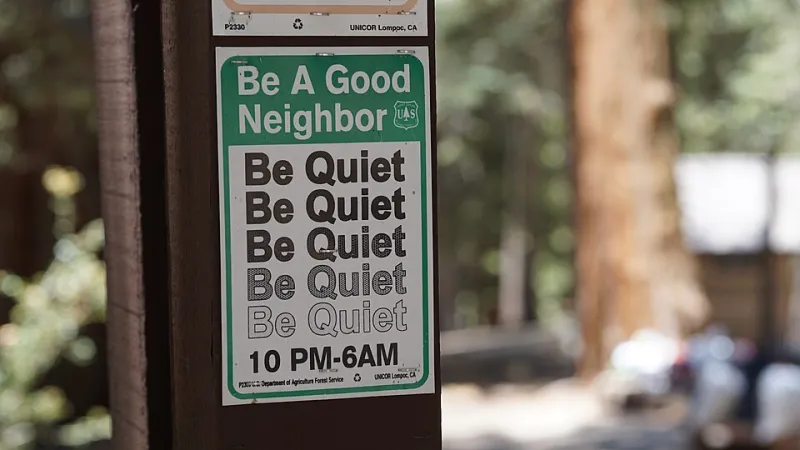
Photo: NPS Photo, Public domain, via Wikimedia Commons
Anyone who's spent a weekend on the Appalachian Trail or camped in a national park knows the rule: pack it in, pack it out. You don't leave trash behind because trash left behind attracts problems — animals, smells, damage that outlasts your visit.
Your website works the same way. Every customer record, email address, and plugin you've collected over the years is something you carried in. And unlike a granola bar wrapper, digital clutter doesn't biodegrade. It just sits there, quietly creating risk.
The Stuff in Your Digital Backpack
Most small business owners would be surprised by what's actually stored on their site. Old contact forms from a promotion three years ago. A mailing list from a trade show in 2021. Customer accounts for people who moved, changed emails, or simply forgot you existed.
Every one of those records is a liability you're storing for free — well, not exactly free. You're paying for the storage, and more importantly, you're on the hook if any of it leaks.
Think of it this way: if someone broke into your garage, you'd rather they find a bicycle and some rakes than a filing cabinet full of your neighbors' Social Security numbers. Data you don't have is data that can't be stolen.
Start With the Obvious: Old Customer Records
Here's a question worth asking over your morning coffee: how long do you actually need the contact form submissions from 2022?
For most small businesses — a landscaper in Ohio, a bakery in Georgia, a dog groomer in Oregon — the answer is "not this long." If a job is finished and invoiced, you probably need the financial records (your accountant can tell you how long, usually seven years for tax purposes), but not necessarily the full inquiry thread with someone's phone number and message about their hedges.
Set a retention schedule. Six months for raw form submissions is a reasonable starting point for many businesses. Whatever you keep, keep it deliberately — because you have a reason, not because you forgot to delete it.
The Email List Nobody Opens
Email lists have a way of growing like kudzu. You ran a giveaway in 2020, collected 400 addresses, and now 380 of them belong to people who haven't opened a single message since.
That dormant list isn't an asset — it's a liability with a monthly fee. Stale addresses cause bounce rates to climb, which hurts your deliverability with the people who do want to hear from you. And every dead address on your list is another piece of personal data you're responsible for protecting.
Run a re-engagement campaign once a year. Anyone who doesn't open or click gets removed. It feels counterintuitive — lists are supposed to be big! — but a list of 500 engaged subscribers will outperform 5,000 ghosts every single time, and your email provider will thank you.
Forgotten Plugins: The Rotten Wood of Your Website
If your site runs on WordPress or a similar platform, plugins are a fact of life. The problem is that plugins, like everything else, get abandoned. The developer stops updating it, a security hole opens up, and suddenly your website is the equivalent of a rotting boardwalk plank.
Once a quarter, open your plugin list and ask three questions about each one:
- Do I still use this? If you deactivated it for a promotion last year and never turned it back on, delete it. Deactivated plugins can still carry vulnerabilities.
- Is it maintained? Check the last update date. Anything gathering dust for a year or more is a candidate for replacement.
- Is there a simpler option? Sometimes one well-supported plugin can replace three mediocre ones. Fewer moving parts means fewer things to break.
This is also a good moment to check what data those plugins have been collecting. Many form builders, analytics tools, and e-commerce add-ons store their own copies of customer information in your database. Cleaning up the plugin often means cleaning up its data trail, too.
Less Stuff, Fewer Headaches
There's a practical payoff to all this beyond warm feelings. Smaller databases back up faster and restore faster — which matters a lot at 2 a.m. when your host is migrating your site and something goes sideways. Leaner websites load quicker, which keeps visitors (and Google) happier. And when your hosting bill is based on storage, deleting junk is literally money back in your pocket.
But the biggest payoff is trust. Customers are increasingly savvy about their data. When your privacy policy says you only keep information as long as necessary — and it's actually true — that's a promise you can stand behind. Nobody ever sued a business over the data it didn't have.
Make It a Habit, Not a Project
Like trail maintenance, data cleanup works best in small, regular passes rather than one heroic overhaul. Put a recurring reminder on your calendar — first Monday of the quarter works well — and spend 45 minutes on three tasks:
- Delete form submissions older than your retention window
- Prune unengaged subscribers from your email list
- Review plugins for updates, usage, and removal
That's it. Fifteen minutes a month, on average, to meaningfully shrink your risk.
The outdoors crowd figured this out decades ago: the best way to protect a place you love is to leave it better than you found it — and carry out what you carried in. Your customers trusted you with their information. The best way to honor that trust is simple: keep less of it, guard what you keep, and pack out the rest.