After the Campfire Dies Down: Giving Your Website a Real Bedtime
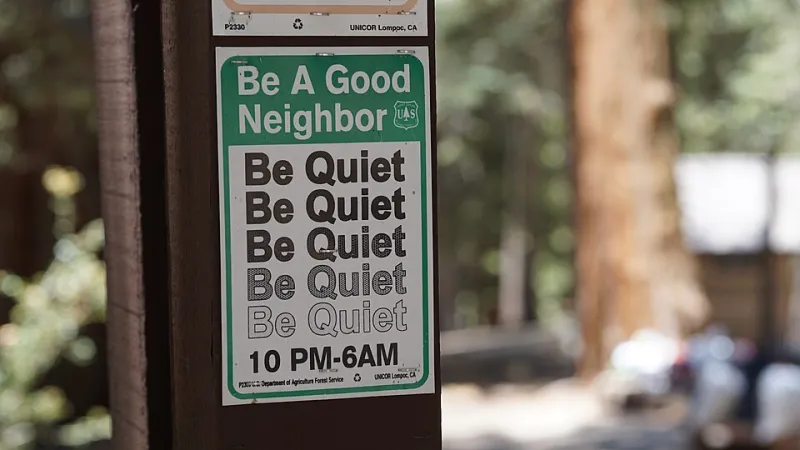
Photo: San Bernardino Nat'l Forest, Public domain, via Wikimedia Commons
Every national park in America has the same rule posted at the ranger station: quiet hours start at 10 p.m. Not because the forest hates fun, but because campgrounds — like any living place — need a stretch of stillness to recover. Generators off, voices down, let the night do its work.
Your website operates on the same principle, whether you've planned for it or not. The question is whether its "quiet hours" happen on your schedule or by accident at the worst possible moment.
The 2 A.M. Tuesday Rule
Ask any seasoned hosting provider when they schedule updates and you'll hear some version of the same answer: the middle of the night, early in the week, when traffic is at its lowest. There's real math behind it. For most US small businesses, visitor counts bottom out between midnight and 4 a.m. on Tuesday or Wednesday. A plugin update that takes the site down for ten minutes at 2 a.m. Tuesday might cost you a handful of bots. The same update at noon on Black Friday? That's a different story entirely.
This is what pros call a maintenance window — a recurring, pre-planned block of time when changes get made and brief hiccups are acceptable. If your current setup doesn't have one, your updates are probably happening whenever someone gets around to them, which usually means during business hours, which usually means a customer sees an error page.
Why Surprise Updates Are the Real Villain
Here's the thing most business owners don't realize: the update itself is rarely the problem. The surprise is. A website that blips offline for three minutes at 2:15 a.m. is invisible to your customers. The same blip at 11 a.m. on a Saturday — right when someone's trying to book your service from their phone in a parking lot — can cost you a sale and a review you didn't earn.
Unexpected changes also create a nasty diagnostic problem. When something breaks and nobody knows what was touched or when, you're not troubleshooting — you're guessing. A documented window turns chaos into a checklist.
Building Your Change Calendar
Setting up quiet hours for your site takes less effort than reserving a campsite. Start with three moves:
1. Pick your window and stick to it. Choose a recurring slot — say, Tuesdays from 1 to 3 a.m. — and make it sacred. Every update, plugin install, and content migration goes there. No exceptions, no "just this once" at 4 p.m. on a Friday.
2. Put it in writing where your team can see it. A shared calendar, a note in your project management tool, a sticky note on the monitor — doesn't matter. What matters is that everyone knows when the site might briefly wobble, so nobody panics or makes a redundant change on top of one in progress.
3. Tell your customers when it's big. Routine updates don't need an announcement. But a major migration or hosting move? A short note on your homepage or a heads-up email the day before turns a potential complaint into a non-event. People forgive planned maintenance. They don't forgive surprises.
What Belongs in the Window (and What Doesn't)
Not everything needs the midnight treatment. Here's a quick sorting guide:
- In the window: plugin and platform updates, security patches, server-side changes, anything touching your checkout or contact forms.
- Anytime: adding a blog post, swapping a photo, updating your hours. Content edits don't take the site down, so don't let them pile up waiting for Tuesday.
- Never without a plan: theme overhauls, hosting migrations, or anything involving your payment system. These deserve a test environment first, even if the test happens inside your regular window.
Let the Night Do Its Work
Park rangers will tell you quiet hours aren't punishment — they're how the campground stays a place worth visiting. The same logic applies to your website. A predictable maintenance window means your site gets the care it needs while your customers sleep, and you wake up to a faster, safer, better-tended digital storefront instead of an angry voicemail.
If you're not sure whether your current hosting arrangement includes a proper maintenance window, that's a question worth asking. Good providers volunteer this information. Great ones put it on a calendar and send you the notes afterward. Anything less, and you're camping next to a generator that could kick on at any moment.